Withdrawal
A withdrawal allows you to move funds from your account balance to a registered bank account. Withdrawals are initiated manually, so you are always in control of when and how much to withdraw.
Navigate to the Balances page and click the Withdraw button on the balance card for the currency you want to withdraw. Make sure your account has an available balance in the currency you want to withdraw before proceeding.
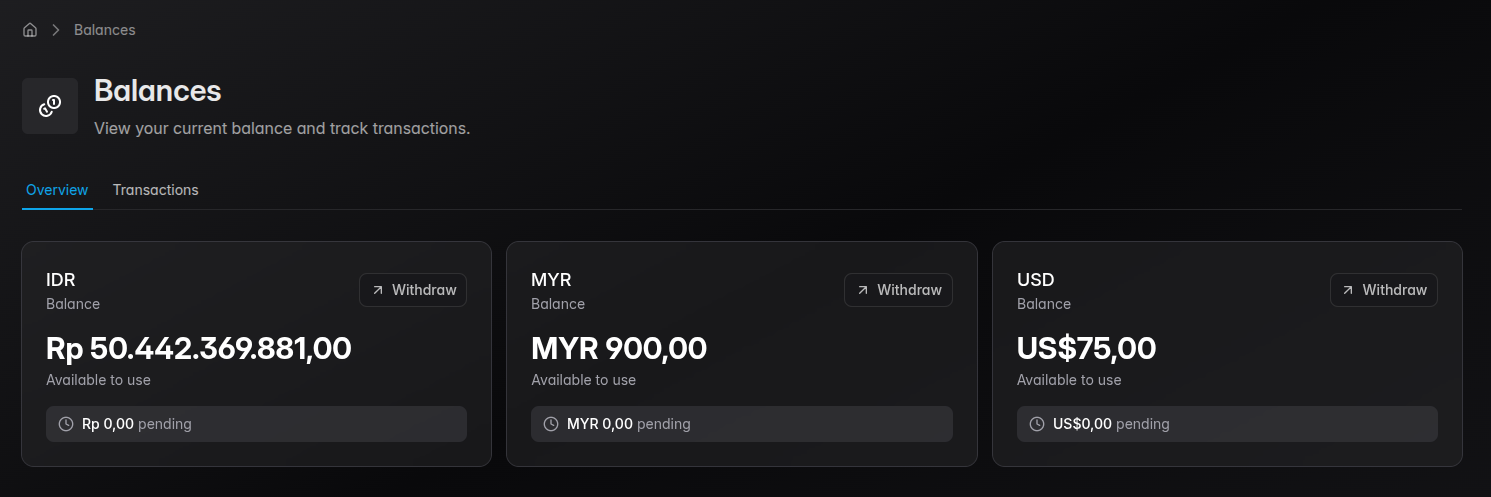
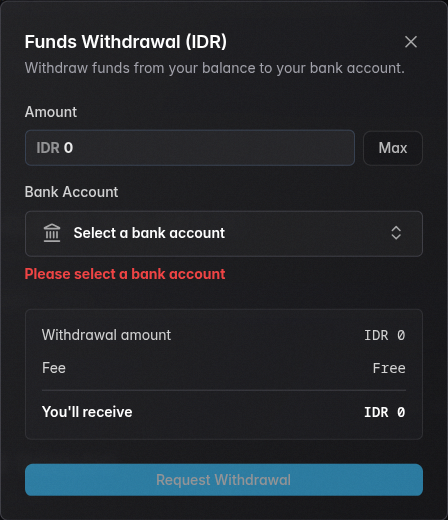
A Funds Withdrawal modal will appear. Enter the amount you wish to withdraw in the Amount field. You can also click Max to automatically fill in your full available balance.
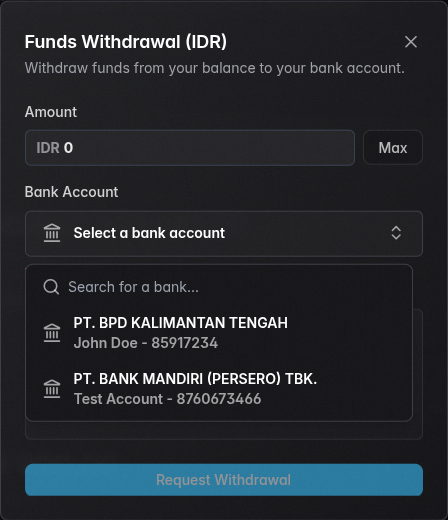
Next, click the Bank Account dropdown and select the destination bank account for this withdrawal. You can search for a bank by name using the search field in the dropdown. Only activated bank accounts registered to your business account will appear here. If you have not added a bank account yet, see Bank Account to get one set up first.
Once a bank account is selected, the summary at the bottom of the form will show a breakdown of your withdrawal, including the withdrawal amount, any applicable fee, and the final amount you will receive. Withdrawals are currently free of charge, so the amount you enter is the full amount you will receive.
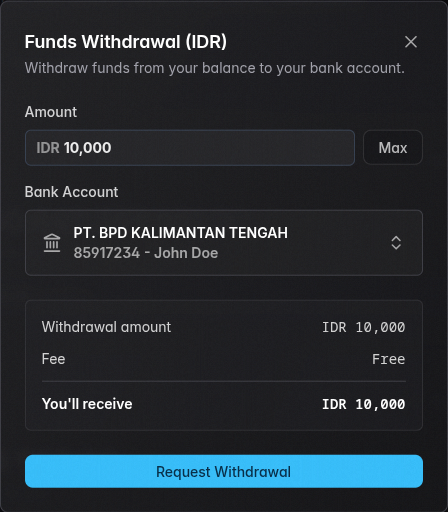
When you are ready, click Request Withdrawal. A confirmation modal will appear summarizing the details of your request. Review the information, then click Confirm to submit, or Cancel to go back and make changes.
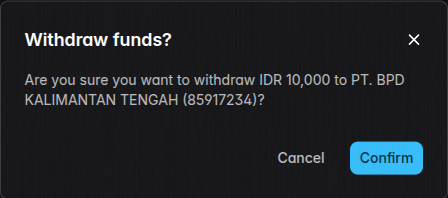
Once confirmed, a success notification will appear and your withdrawal request will be submitted for processing.

Withdrawal status
After submission, your withdrawal will initially be in a Pending state while it awaits approval from the KingsPay team. If the request is reviewed and declined, the status will change to Rejected and a reason will be provided so you know what to address. For a full overview of possible statuses, see Payout Statuses.
Processing time
Processing times may vary. If you have concerns about a withdrawal that appears to be taking longer than expected, please reach out to our support team.