Overview
A transaction is a record of every financial movement within your business account. Whenever money flows in or out of your account, whether through an incoming payment, an outgoing payout, a withdrawal, a transfer, or a balance correction, a transaction is automatically created by the system to capture that activity. Transactions are not created directly by you. They are generated as a side effect of other financial activity.
Every change to your account balance is backed by a transaction, making them the single source of truth for understanding exactly how your balance has changed over time.
Viewing transactions
You can view all transactions for your business account by navigating to the Balances page and selecting the Transactions tab. This gives you a chronological list of every transaction that has affected your account balance, including payments, payouts, withdrawals, transfers, balance corrections, and more.
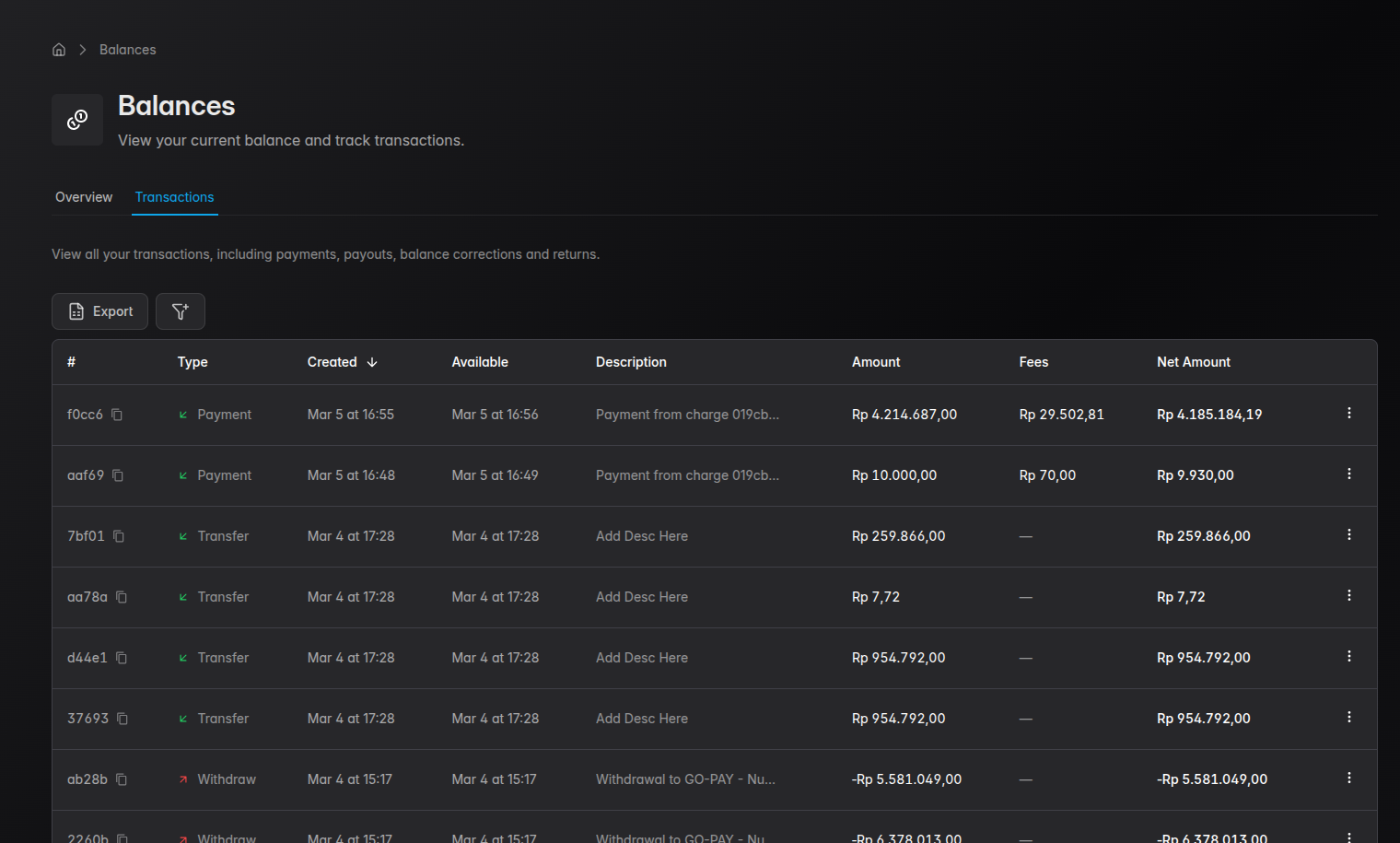
Each transaction in the list displays the following information:
-
#
A shortened unique identifier for the transaction. You can click the copy icon next to it to copy the full transaction ID.
-
Type
The type of transaction. See Transaction Types for a full reference.
-
Created
The date and time the transaction was created.
-
Available
The date and time the transaction amount became available in your account balance.
-
Description
A short description of the transaction, auto-generated by the system based on the transaction type and relevant details.
-
Amount
The gross amount of the transaction. Positive values indicate an increase to your balance, while negative values indicate a decrease.
-
Fees
The fees charged for the transaction, if any.
-
Net Amount
The net amount after fees have been deducted. This is the actual amount that was applied to your account balance.