Overview
A payout is a record of an outgoing payment from your business account to an external destination, such as a bank account or e-wallet. Payouts represent money leaving your account, whether initiated programmatically through the API or manually through the dashboard.
There are two types of payouts in KingsPay, each serving a different purpose and created through a different flow.
-
Disbursement
Created via the API, a disbursement is an outgoing payment initiated programmatically by your application. This is the standard way to send money to your customers, vendors, or any other recipient as part of your integration.
-
Withdrawal
Created through the dashboard, a withdrawal is an outgoing payment initiated manually by you to move funds from your business account to your bank account. Unlike disbursements, withdrawals require approval from the KingsPay team before the funds are sent.
When a payout is created, the payout amount is immediately deducted from your account balance regardless of its current status. If the payout does not succeed, the amount is returned to your account balance. Once a payout is successfully sent, the deduction is finalized and a corresponding transaction is created.
Viewing payouts
You can view all payouts for your business account by navigating to the Payouts page. This gives you a chronological list of every payout that has been created for your account, including both disbursements and withdrawals, along with their current status and key details.
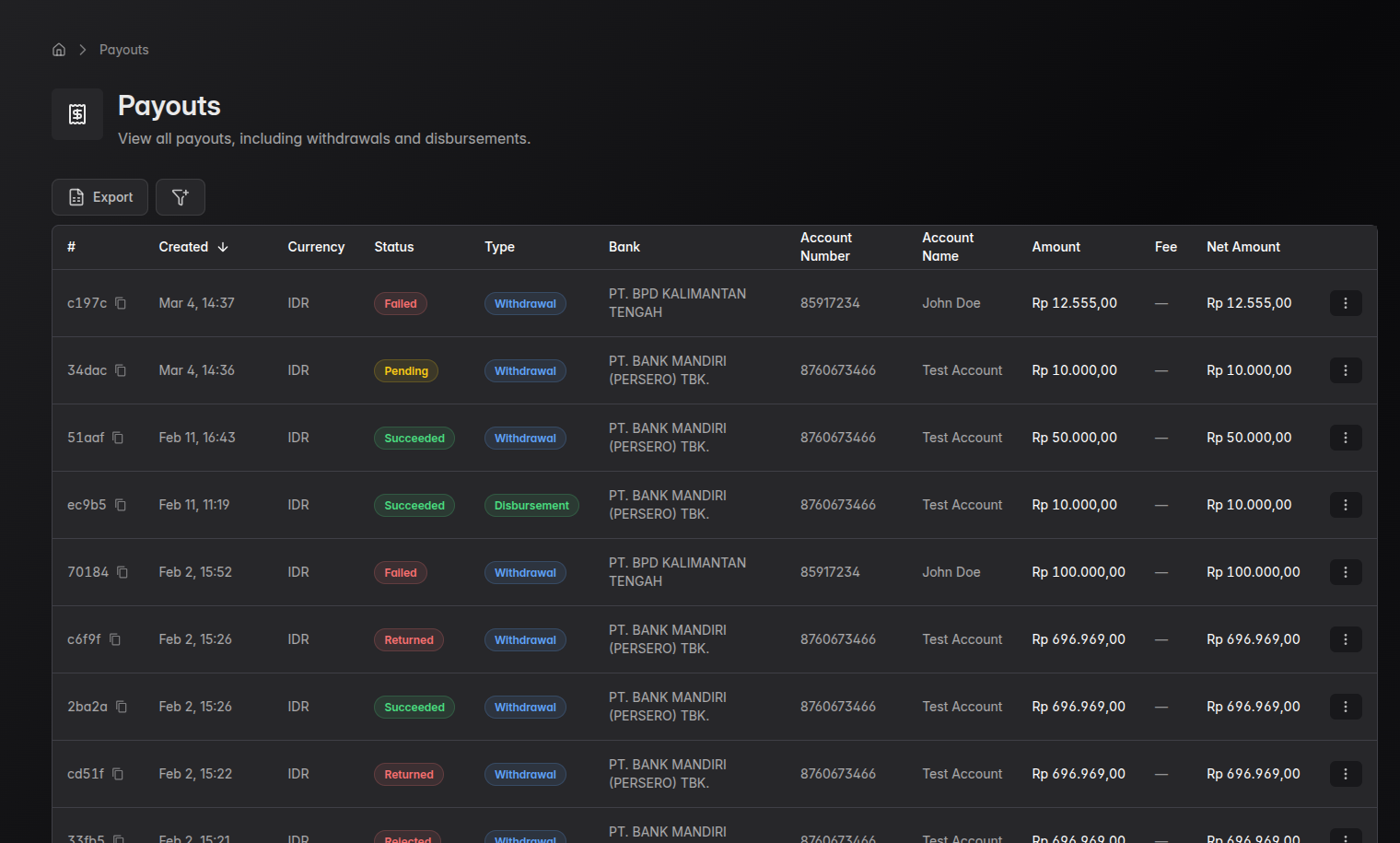
Each payout in the list displays the following information:
-
#
A shortened unique identifier for the payout. You can click the copy icon next to it to copy the full payout ID.
-
Created
The date and time the payout was created.
-
Currency
The currency of the payout.
-
Status
The current status of the payout. See Payout Statuses for a full reference.
-
Type
Whether the payout is a disbursement or a withdrawal.
-
Bank
The destination bank or e-wallet the payout is being sent to.
-
Account Number
The destination account number or e-wallet number the payout is being sent to.
-
Account Name
The name of the account holder at the destination.
-
Amount
The gross amount of the payout.
-
Fee
The fees charged for the payout, if any.
-
Net Amount
The total taken from your balance: the amount plus the fee. The amount is what reaches the destination bank account, so the fee comes on top of it.