Overview
A charge is a record of an incoming payment made to your business account. When a customer pays you through KingsPay, a charge is created to capture that payment, including the amount, the payment method used, any fees applied, and the outcome of the payment attempt.
Charges are created via the API and are tied to a specific payment method, such as QRIS or Mandiri Virtual Account. Once a charge is created, KingsPay handles the payment processing and updates the charge status as the payment progresses. When a charge succeeds, a corresponding transaction is automatically created and your account balance is updated accordingly.
Viewing charges
You can view all charges for your business account by navigating to the Payment Charges page. This gives you a chronological list of every charge that has been created for your account, along with their current status and key details.
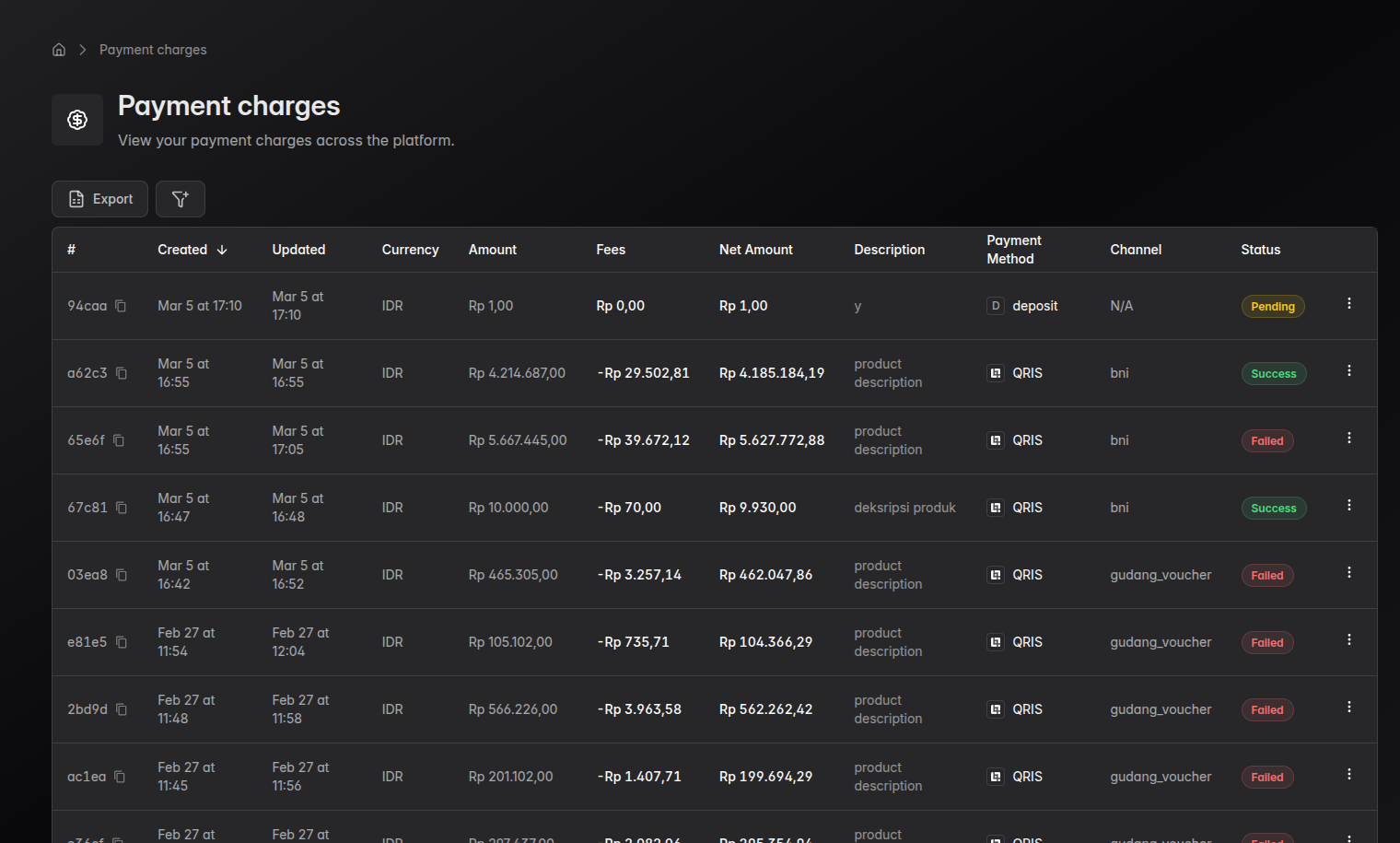
Each charge in the list displays the following information:
-
#
A shortened unique identifier for the charge. You can click the copy icon next to it to copy the full charge ID.
-
Created
The date and time the charge was created.
-
Updated
The date and time the charge was last updated.
-
Currency
The currency of the charge.
-
Amount
The gross amount of the charge.
-
Fees
The fees deducted from the charge amount.
-
Net Amount
The amount credited to your account balance after fees have been deducted.
-
Description
A description of the charge, provided at the time the charge was created.
-
Payment Method
The payment method used for the charge, such as QRIS or Mandiri Virtual Account.
-
Status
The current status of the charge. See Charge Statuses for a full reference.