Creating a Business Account
Before creating a business account, you must have an existing user profile. A user is your personal login identity — business accounts are separate entities that you manage through your user. You cannot access or create business accounts without first being authenticated as a user.
First time logging in?
If this is your first time logging in, you will be automatically prompted to create a new business before accessing the dashboard. Skip directly to the business creation step below — the sidebar will be available after setup is complete.
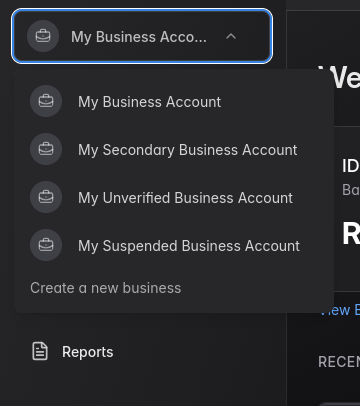
To create a business account, open the account switcher from the left sidebar and select Create a new business.
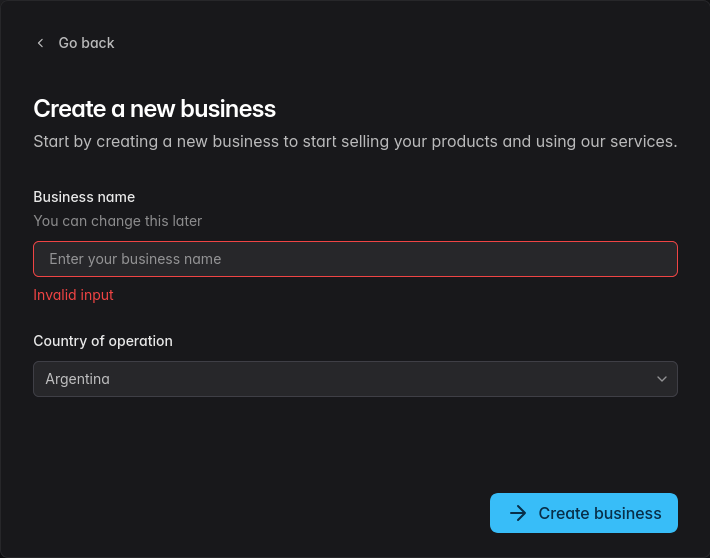
A modal will appear prompting you to enter your business name and country of operation. Once filled in, click Create business in the bottom-right corner to confirm.
After creation, the new business account is automatically selected and you are taken to its dashboard.